
Works with MoTeC M1 · Beta: free for now
Your ECU logs, explained.
Logwise turns your data logs into a plain-English debrief, then coaches you on three things: your driving, the car, and what to take to your tuner.
Runs in your browser: your logs never leave your computer. Drag and roll coaching is for the strip.
One download, three answers
Drop in the logs from a day at the strip. Logwise finds every full-throttle run and reads the engine's health across every minute it ran.
Each run as a timing slip
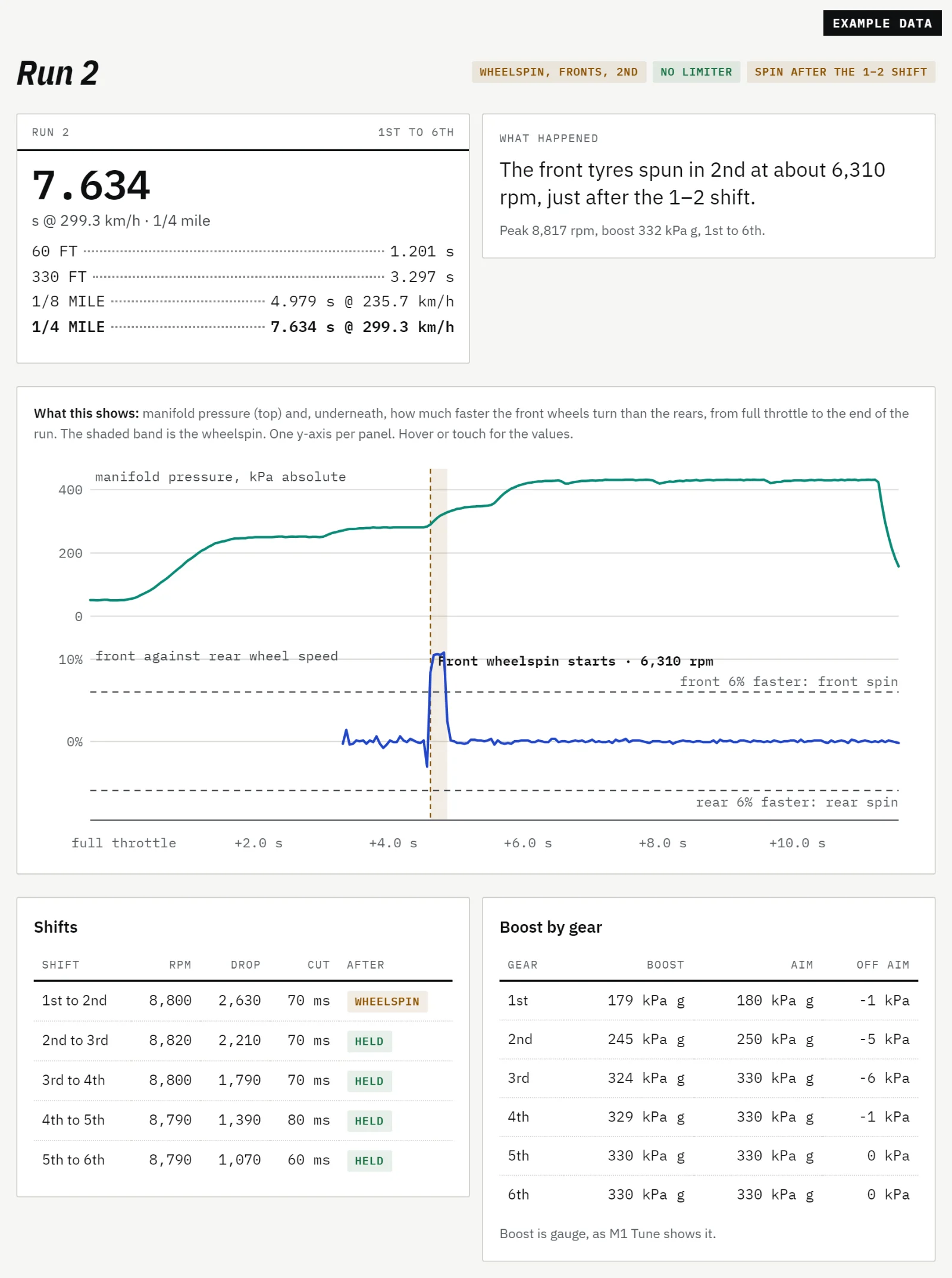
60 ft, 330 ft, 1/8 and 1/4 mile from GPS or ground speed, with wheelspin, the gear it happened in, every shift and boost against aim.
Health checks with what it should be
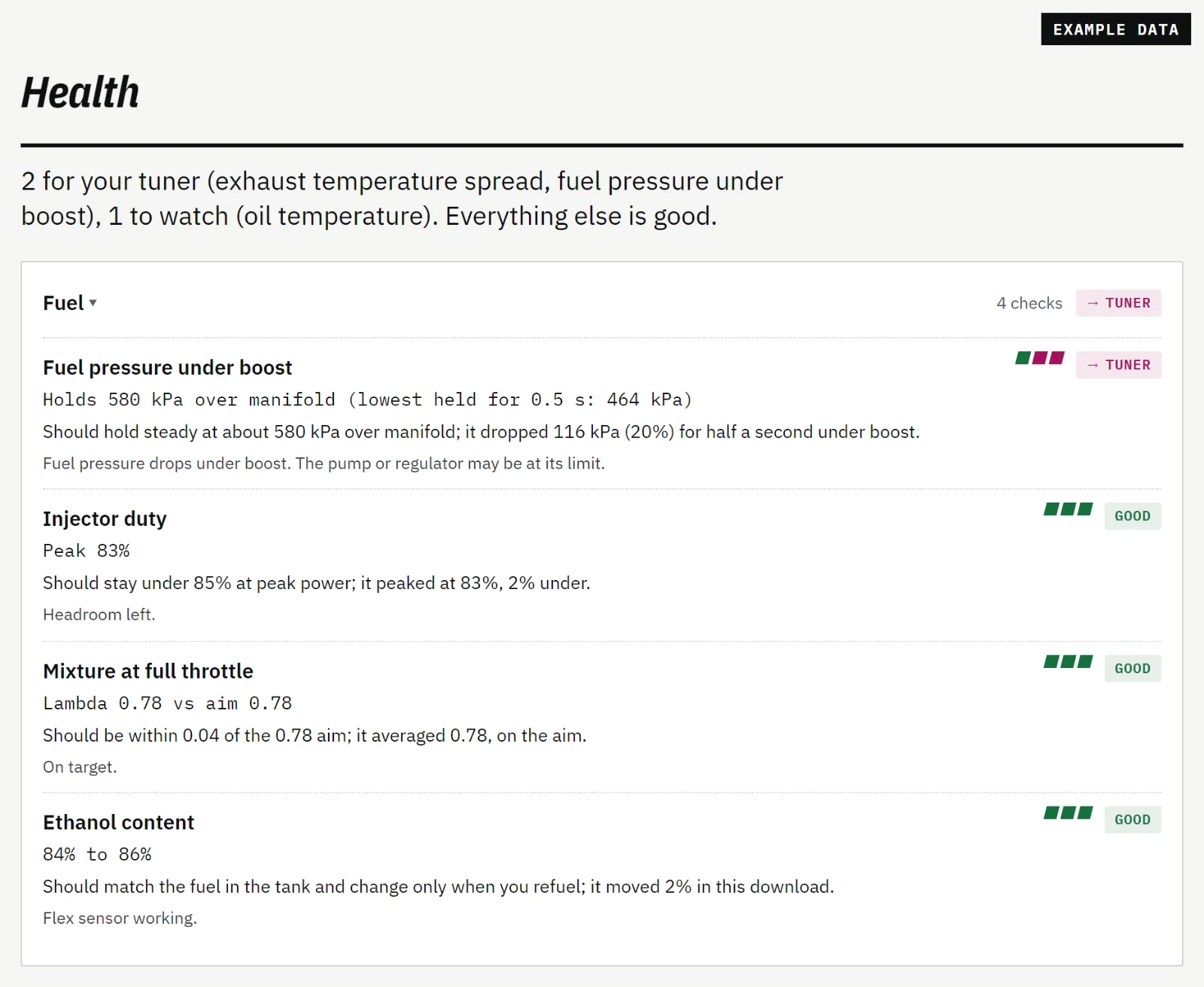
Oil and fuel pressure, mixture, knock, exhaust temperatures, the rev limiter and more. Each says what it should be and how far off it was.
A coach that knows whose job it is
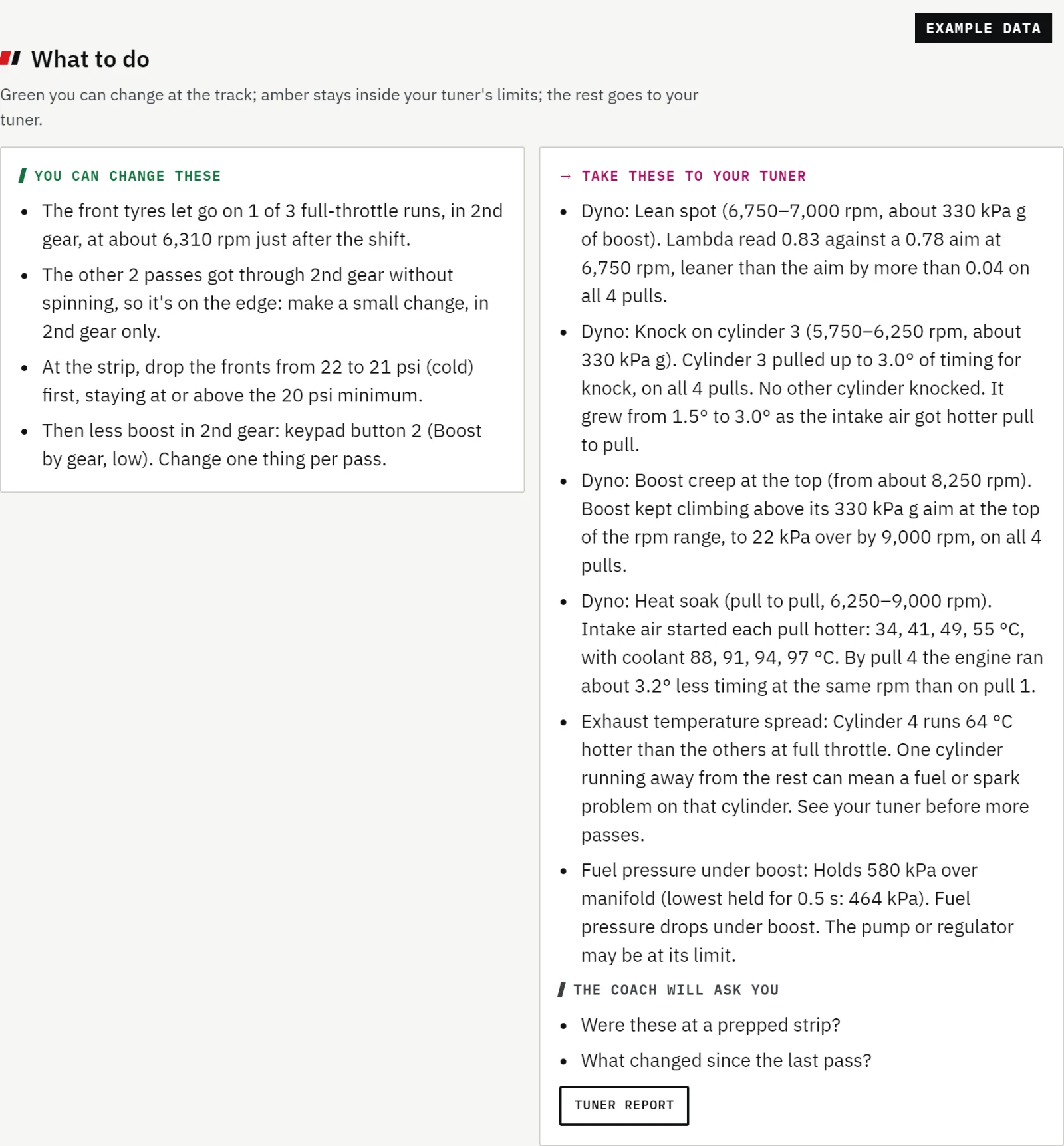
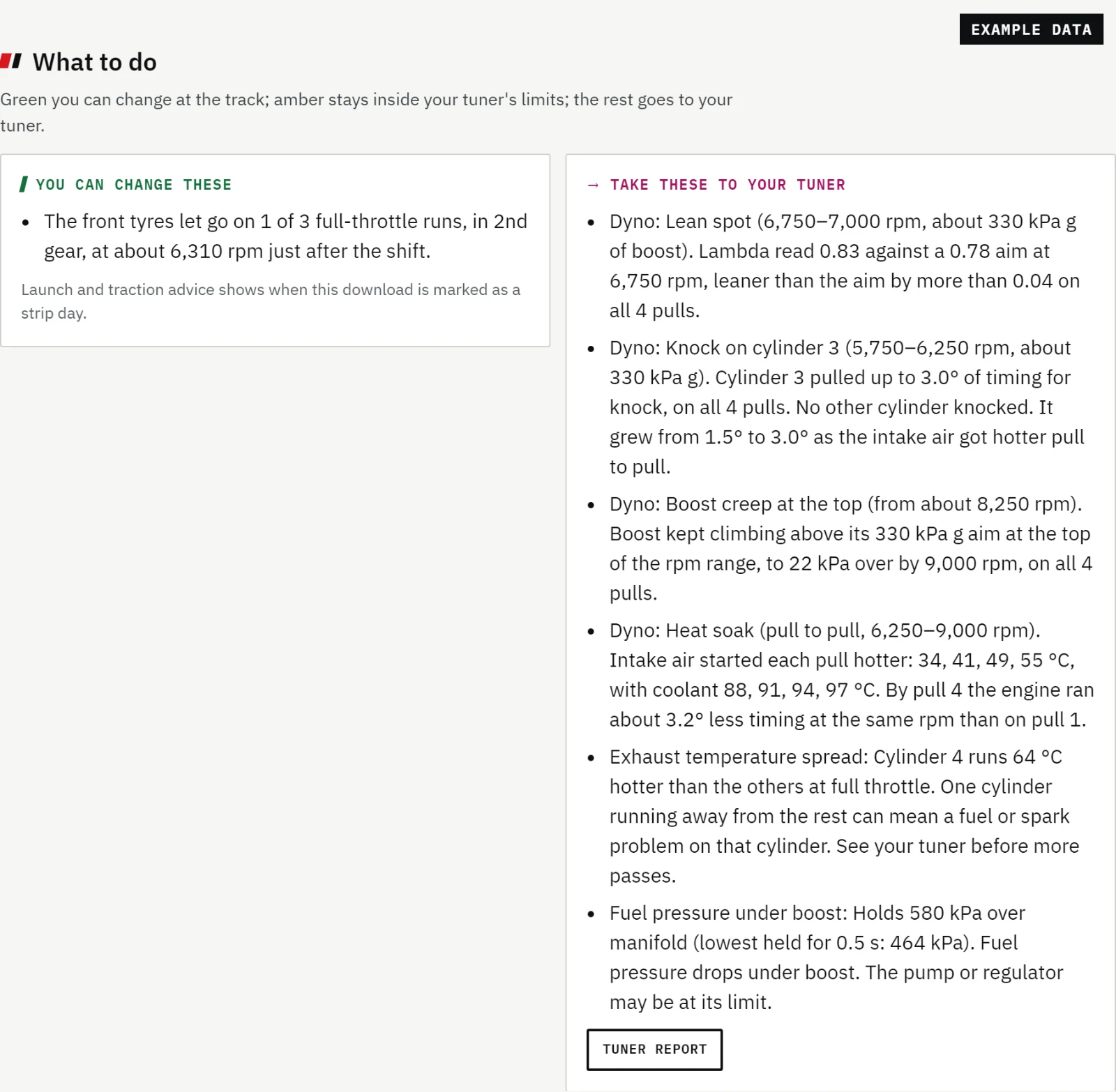
What you can change at the track, what stays inside your tuner's limits, and a one-page report for the tuner.
See where the tyres let go
With wheel speed sensors, Logwise compares front and rear axles and checks them against GPS. With one speed sensor, it looks for a jump the car itself can't make.
Sorted by who makes the change
Logwise never writes to your ECU. You or your tuner make every change; Logwise says which of you it's for.
Tyre pressures, launch rpm, boost by gear, dash and keypad settings: things you can change at the track.
Rev limits and boost ceilings your tuner has set. Logwise checks your logs against them and keeps its advice inside them.
Fuel, ignition and calibration. Logwise explains what it saw and where, and puts it on a one-page report with the chart that proves it.
The event log
Did the change help?
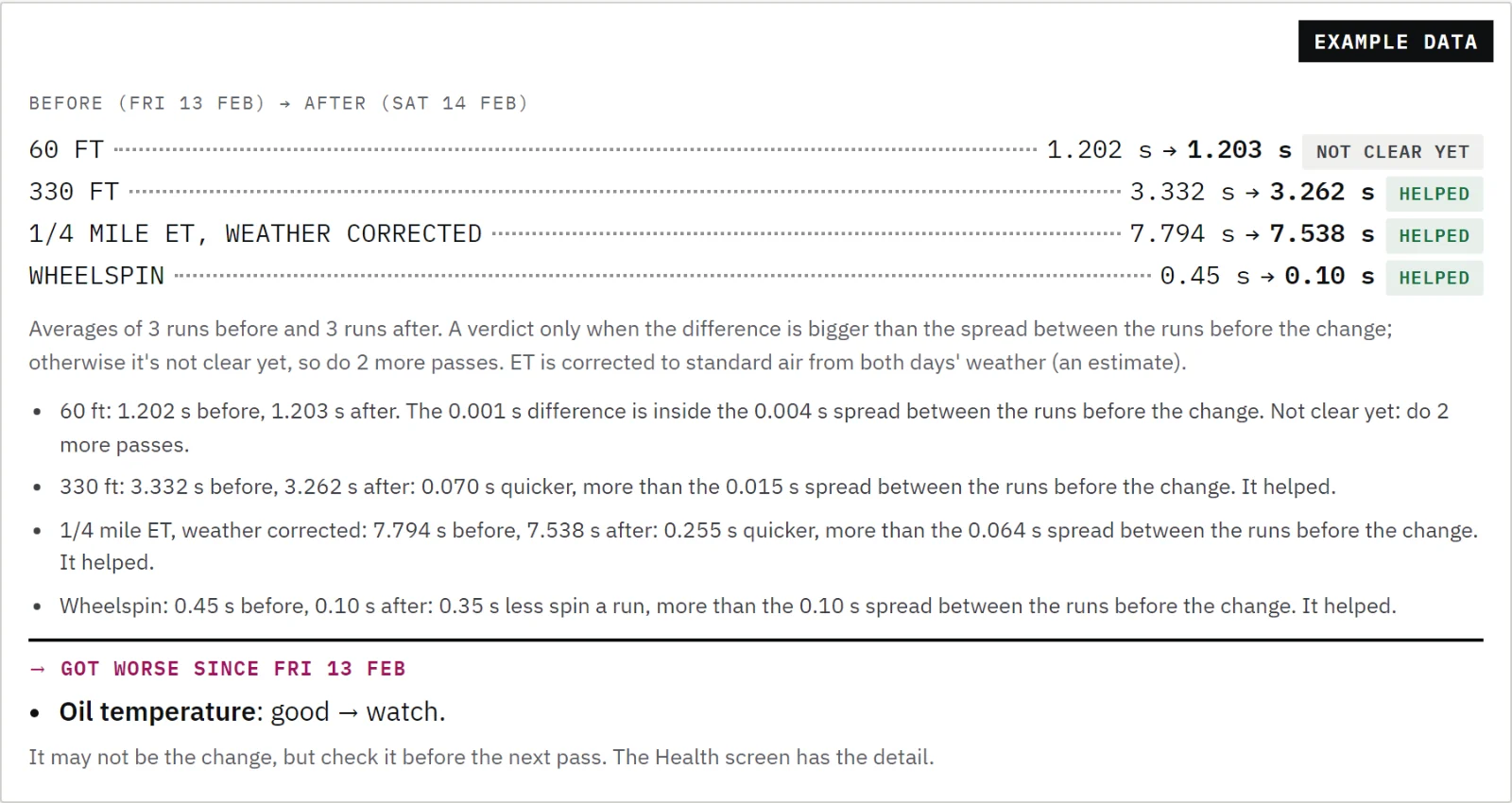
Note what you changed since the last download: tyre pressures, launch rpm, boost, the converter. Logwise compares the runs before and after, corrects ET for the weather, and only says "helped" or "made it worse" when the difference is bigger than the spread between your runs.
Otherwise it says so: not clear yet, do 2 more passes.
Drag and roll coaching is for the strip
Launch, traction and boost advice only switches on when you mark a download as a Strip day. Until then you still see every run, the health checks and everything for your tuner.
Logwise won't help make a car faster on the street.
Built for between rounds
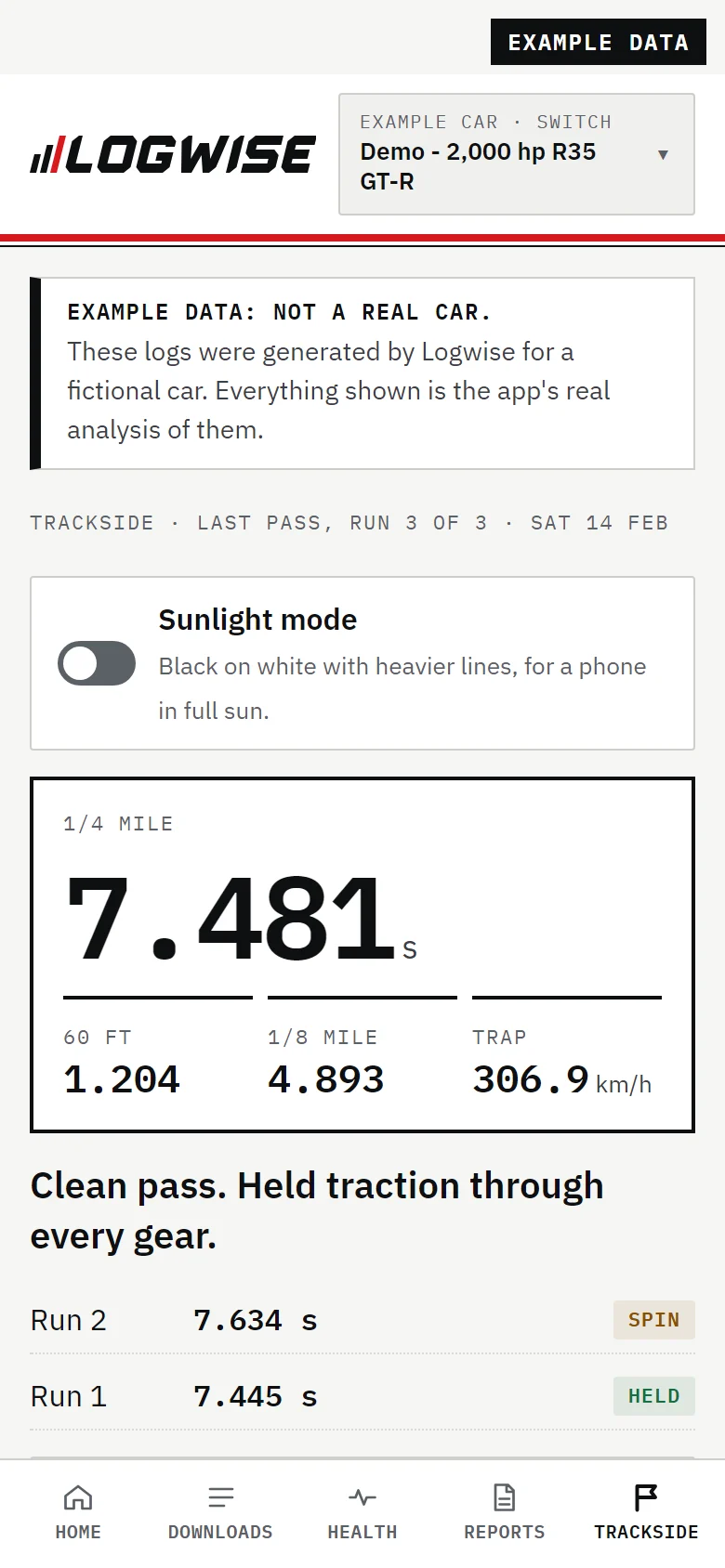
Trackside shows the last pass in big figures, what to change before the next one, and the car's health. Sunlight mode turns it black on white for a phone in full sun.
After your first visit the app opens with no internet, so it works in the pits with no reception. Boost, fuel and oil in kPa or psi; °C or °F; km/h or mph.
Your logs never leave your computer
Logwise reads your logs in your browser. Nothing from them is uploaded and there's no account to make. Your cars and profiles stay in the same browser.
What Logwise does collect is short and listed in full: what Logwise collects.
Works with MoTeC M1 today
Logwise reads the .ld logs M1 Tune saves, from M1 ECUs like the M130 and M150. Haltech, Link Engine Management and Emtron are planned, behind the same debrief and coaching.
Waiting on your ECU, or Logwise Link?
Join the waitlist and we'll email you when Logwise reads your ECU, when the coaching for how you race is ready, and when Logwise Link is ready.
Bring your last download.
Open Logwise, drop in your logs and read the debrief. Free during the beta.
Open the app