How it works
Drop in your logs. Read the debrief.
No account, no upload, nothing to install. Logwise runs in your browser and reads the logs your ECU already saves.
Drop in your logs
The .ld files M1 Tune saves when you download from the ECU, old ones too.
Read the debrief
Every run as a timing slip, wheelspin, shifts, and the engine's health.
Get coached
What to change at the track, sorted by who makes the change.
Take the report to your tuner
One printable page, with the chart that proves each item.
Step 1
Drop in your logs
Download from the ECU in M1 Tune as you always do. Drag the .ld files it saves onto Logwise, or pick them from a folder.
- Level 2 logs hold about an hour at up to 200 Hz: best for runs, launches and shifts.
- Level 1 logs hold long histories at about 10 Hz: best for health and history.
- Logs saved within a few minutes of each other are read as one download, and each car is kept apart by its ECU serial number.
The first time, three questions: the drivetrain, the gearbox (suggested from the logs) and what you race. Fill in the car profile later for more specific advice: tyres and pressures, keypad buttons, your tuner's limits.
Nothing is uploaded. Even an hour of 200 Hz logs is read in seconds on a laptop.
Step 2
Read the debrief
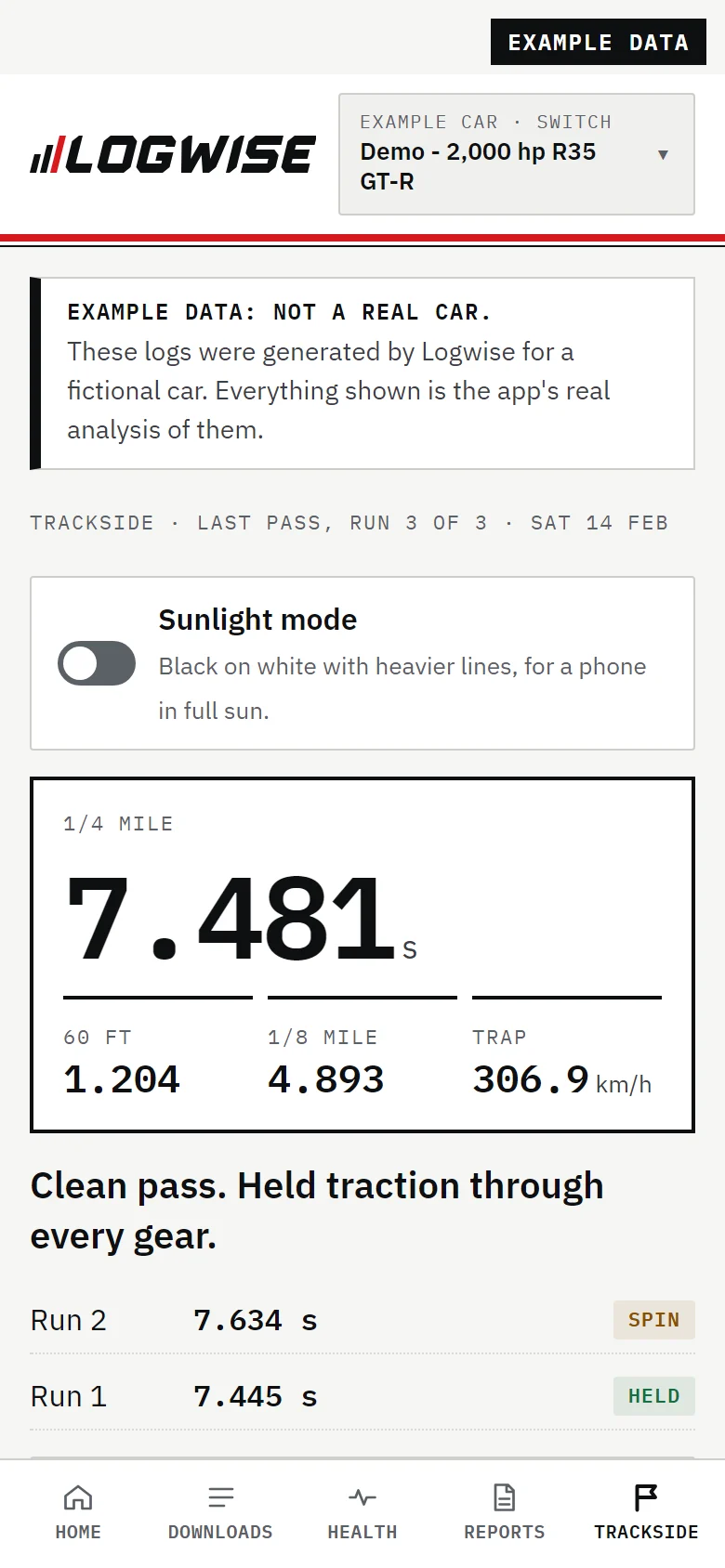
The answer comes first: one sentence for the car, the download and each run. Every number comes with what it should be.
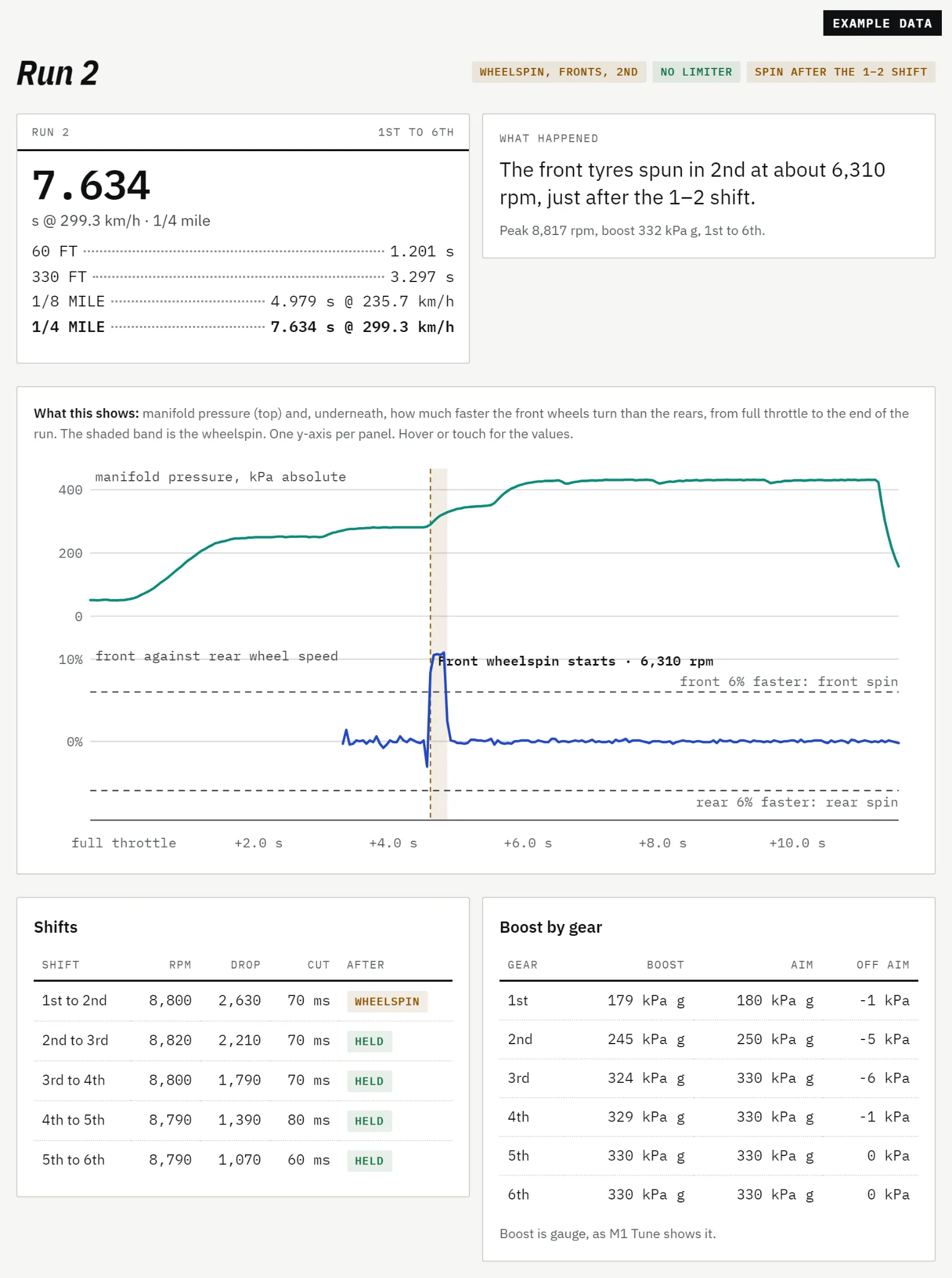
- Each full-throttle run as a timing slip: 60 ft, 330 ft, 1/8 and 1/4 mile, from GPS or ground speed with a 0.3 m rollout.
- Wheelspin: when, on which axle and in which gear.
- Each shift: rpm, drop, cut time, and whether the tyres held after it.
- Boost against aim in every gear.
- Health checks from every minute the engine ran, with a short history per download.
Step 3
Get coached
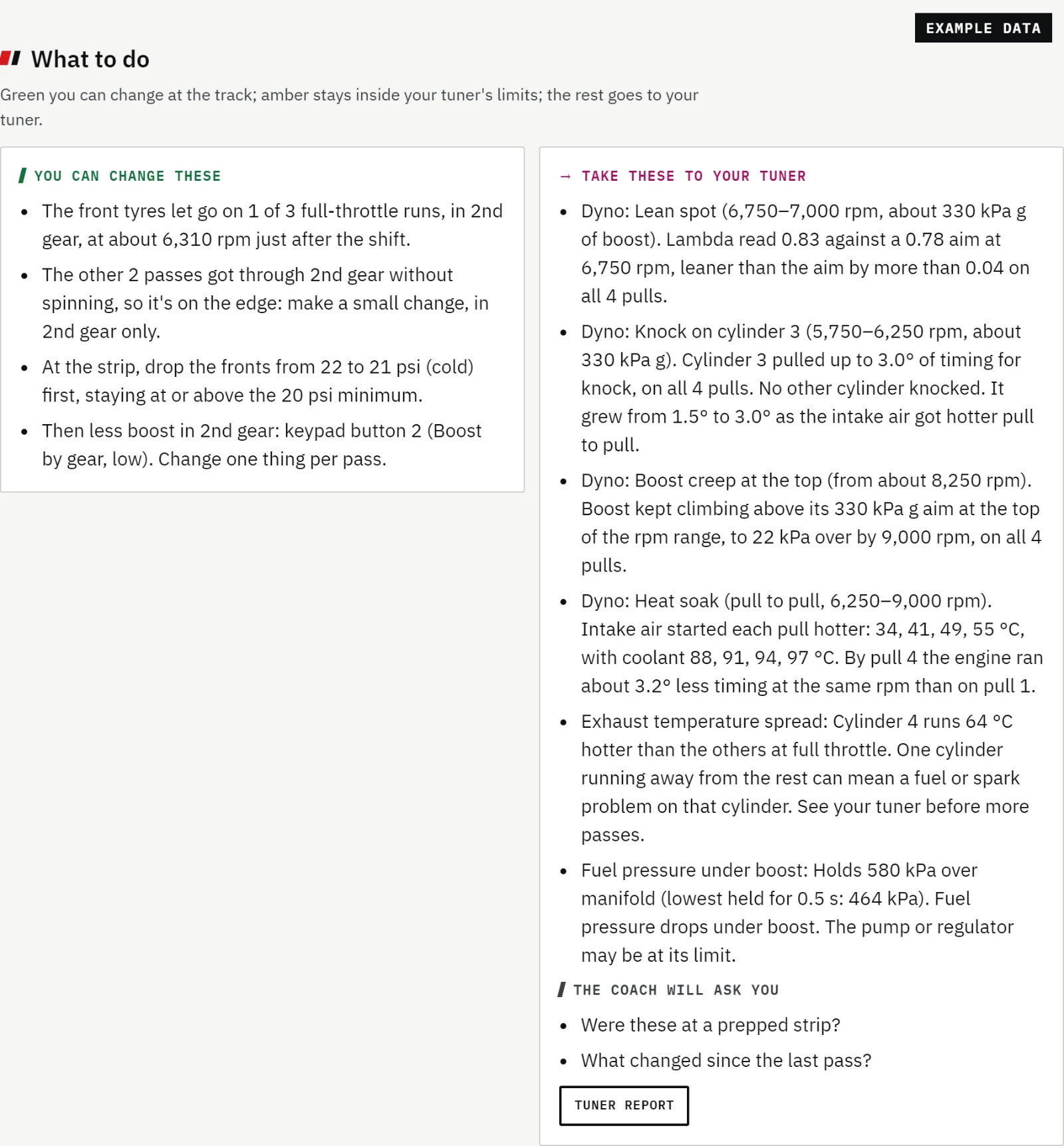
Before it advises, Logwise asks about the car and the day: drivetrain, tyres and pressures, the surface, what changed. Then it sorts every suggestion by who makes the change.
You can change these Tyre pressures, launch rpm, boost by gear, keypad settings.
Inside your tuner's limits Checked against the rev limit and boost ceiling your tuner set.
Take these to your tuner Fuel, ignition and calibration: what was seen and where, never how to change it.
Launch and traction coaching only shows on a download you've marked as a Strip day. Why.
Step 4
Take the report to your tuner
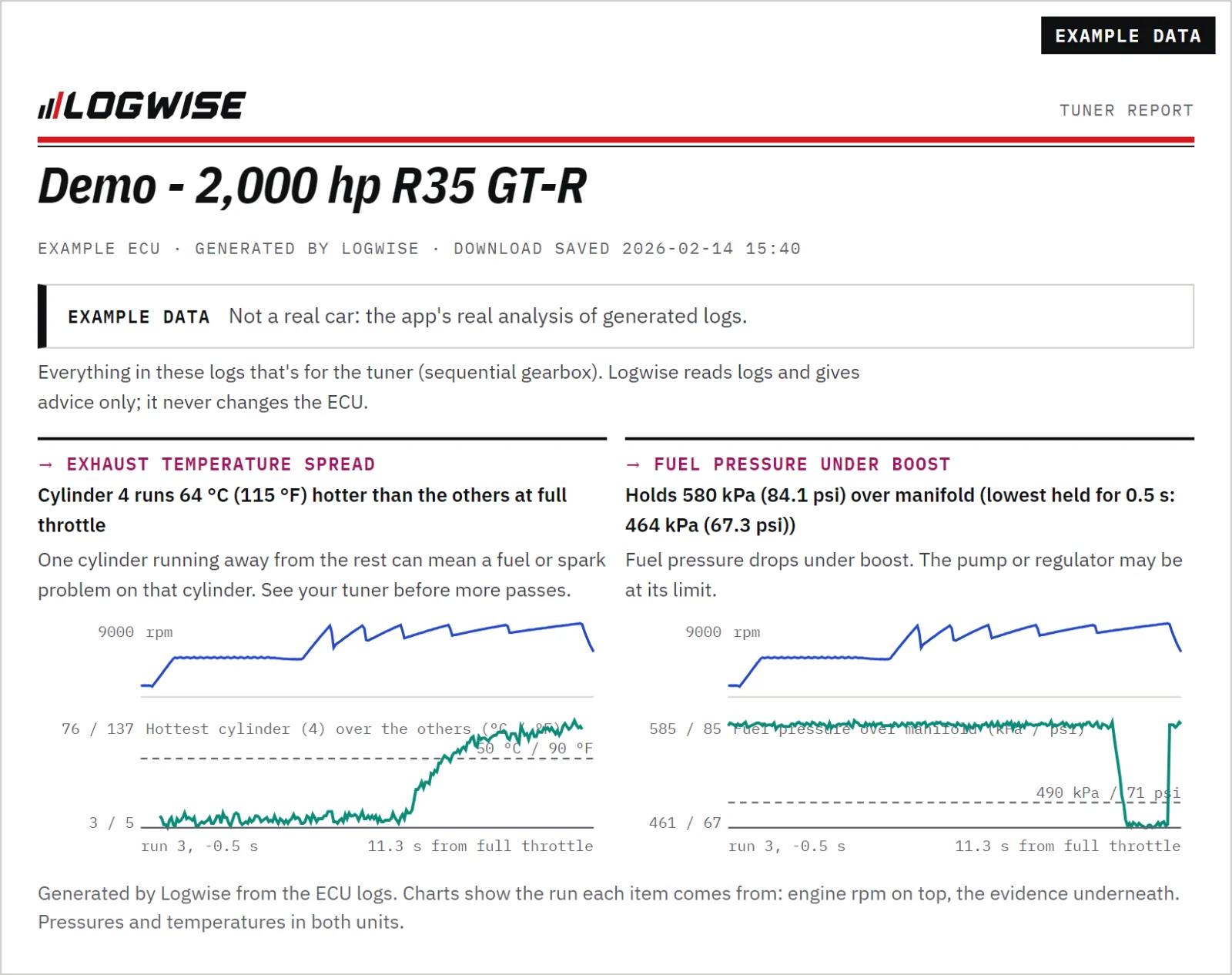
Everything for the tuner goes on one printable page: each item with the chart from the run that shows it, pressures and temperatures in both units.
There's a checklist of things to check before the next event too, and after a dyno day, a touch-up list. Print them, or save them as a PDF to send.
Then the next download
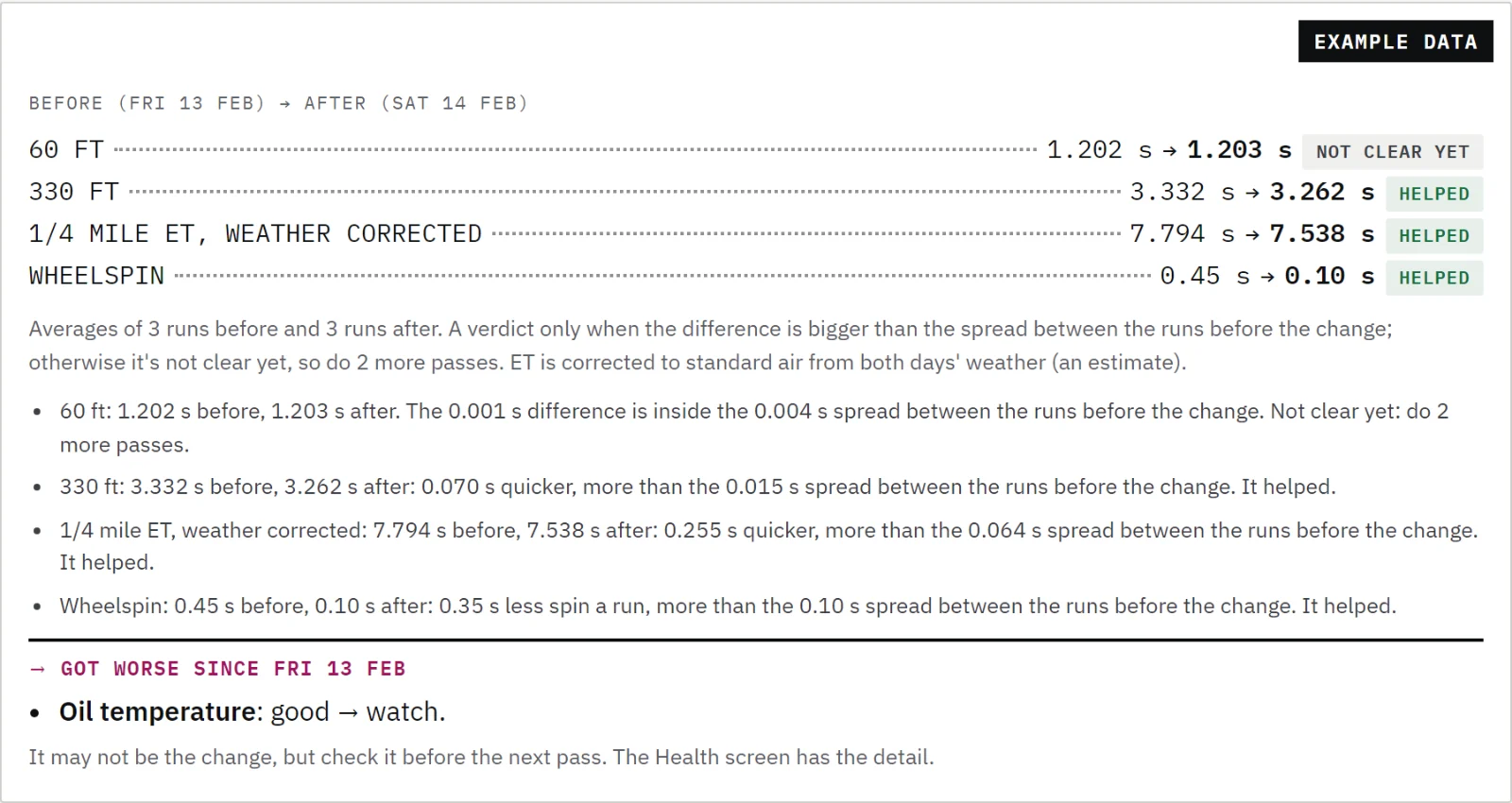
Note what you changed and how it felt. Next time, Logwise compares the runs before and after, and tells you whether it helped, made it worse, or isn't clear yet.